How to Get More Online Bookings (Without Spending on Ads)
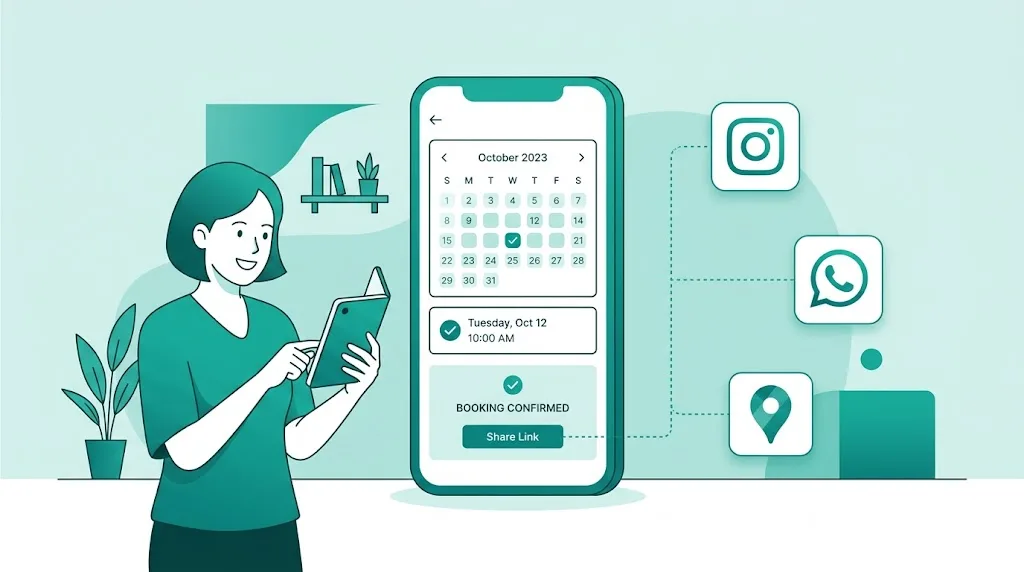
Having an online booking page is the first step. The second one — the one that actually fills your calendar — is making sure your clients (and potential clients) can reach it without any effort. The good news is you don't need to spend on ads: with four simple habits, using tools you already have, you can grow your bookings consistently, month after month.
1. Put your booking page where clients are already looking
Every business on Marca lá gets its own public page, something like marcala.pt/your-business. It's the single most important link for your business — and the most common mistake is hiding it.
Start with the obvious:
- Instagram and Facebook bio: swap "DM us" for a direct link to your booking page. Less friction, more conversions — clients book on their own, any time, without waiting for a reply.
- Google Business Profile / Google Maps: in the "Website" field of your profile, add your booking page link instead of (or alongside) your regular website. Anyone searching "barbershop near me" or "spa in [city]" on Google finds your business and reaches your booking page in one tap — no phone call needed.
- WhatsApp Business profile: if you use WhatsApp Business, the "Website" field in your profile also takes your booking page link. It's one more place where anyone who already has your contact saved finds the shortest path to booking, without you having to reply to anything.
It's the kind of detail that takes two minutes to fix and then works for you every single day, for free.
2. Re-engage past clients on WhatsApp
Many clients who already know you simply don't come back because they're not thinking of you at the right moment — it's not a lack of interest, it's a lack of a nudge. A direct WhatsApp message to past clients (last haircut's anniversary, a new season starting, or just a simple "it's been a while!") with the link to your booking page tends to get a much quicker response than a social media post — because it's personal and direct, and it reaches someone who already trusts you.
It doesn't need to be fancy: a short message, the link, done. The client books the moment they read it, without you needing to be free to answer a call.
3. Send regular email campaigns to clients who already said yes
If you're on the Business plan, you get access to the Email Marketing module inside your dashboard (/dashboard/marketing). Unlike a manual send, the whole process is already handled for you:
- It only reaches clients who explicitly opted in to marketing communications (consent given at booking time) — so you're talking to people who already showed interest, not sending spam.
- Every campaign always includes an unsubscribe option, and once a client opts out, they never receive that type of email from that business again.
- The email already carries your business's visual identity (logo and colors), no setup required.
The key here is regularity: a seasonal promotion, news about your service catalogue, a reminder that there are still slots open this week. Small, spaced-out nudges keep your business top of mind without becoming annoying.
4. Use social media cards to drive traffic — and bookings
Also on the Business plan, your dashboard has a section dedicated to generating ready-to-post images (/dashboard/marketing, "Social Media" tab) — no need to open Canva or ask anyone for help:
- Review cards: turn a positive client comment into a professional-looking image ready for your feed.
- Stats and milestone cards: celebrate your 100th, 500th, or 1000th client/booking — social proof that builds trust with people who don't know you yet.
- Availability cards: show that there are still open slots this week (or rental items available), with a direct invitation to book.
All the images already come in the right format for feed (square) or stories, and you can download or share them straight from your phone. This is where it all comes together: post the card and, especially on stories, don't forget to add the link to your booking page — a beautiful card with no easy path to booking only gets you "likes", not a full calendar.
In short
None of these four actions require an advertising budget — just consistency: the right link in the right places, an occasional WhatsApp message to people who already trust you, a monthly email to people who already said yes, and using the ready-made cards every time you post on social media. Done regularly, this is what turns followers and curious visitors into real bookings on your calendar.